
Overview
Heat is the OpenStack orchestration service that allows you to define your cloud infrastructure as code using templates. From the Heat Stacks page in your control panel, you can create and manage stacks that automatically provision resources like instances, networks, volumes, and more.
💡 Tip: Heat stacks are useful for automating the deployment of complex infrastructure, services, and applications in a repeatable way.
What are Heat Stacks?
Heat templates (often called HOT templates) define your infrastructure declaratively. Instead of manually creating resources one by one, you describe what you need in a YAML template, and Heat provisions everything automatically.
Key Benefits
- • Repeatable infrastructure deployments
- • Version-controlled infrastructure
- • Automated resource management
- • Easy scaling and updates
Template and Environment
The create form allows providing a template and environment for heat stack creation:
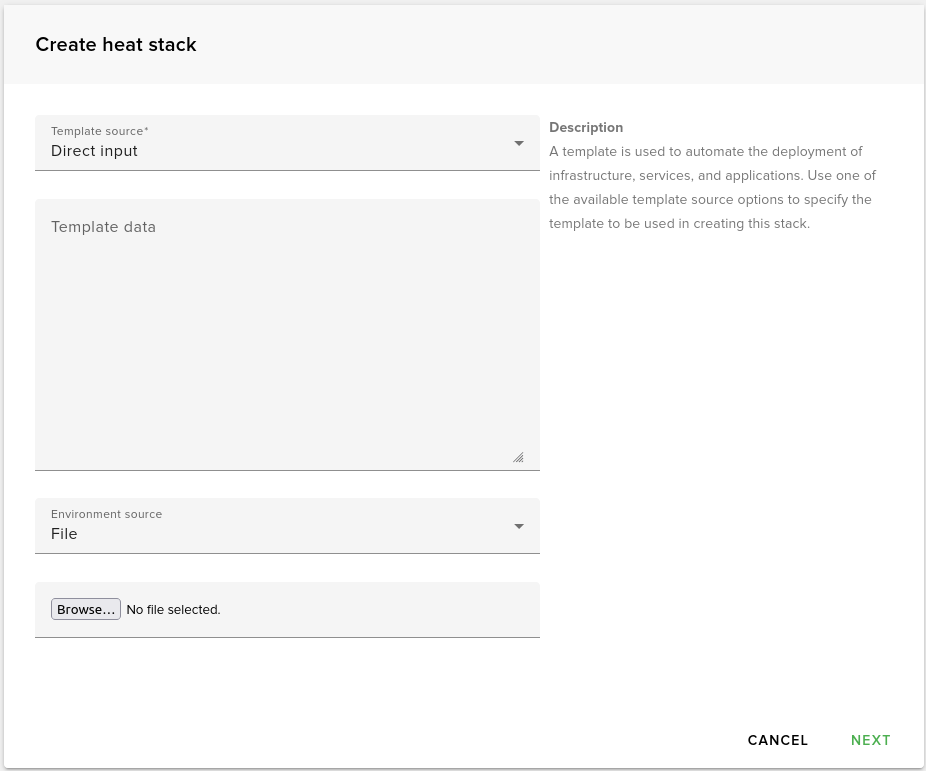
Both template and environment can be provided using a file, URL, or by pasting data directly in the form. You can select how to provide the template and environment using the Template source and Environment source dropdowns.
Template Options
A template is used to automate the deployment of infrastructure, services, and applications. Use one of the available template source options to specify the template to be used in creating this stack.
Additional Stack Parameters
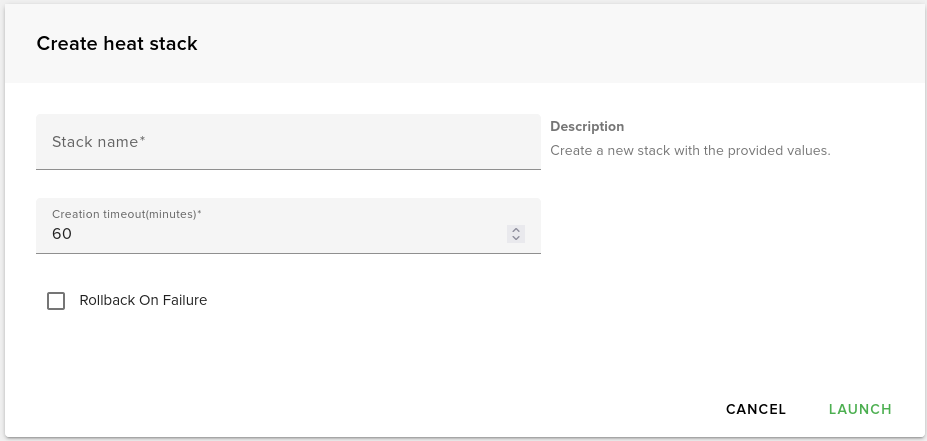
If a valid template and environment were provided, pressing the NEXT button displays a new form that asks for some final stack parameters:
Stack Name
The name for your heat stack.
Creation Timeout
Timeout in minutes to wait for heat stack creation to complete.
Rollback on Failure
If creation fails or times out, all resources associated with the stack will be deleted.
Launch Stack
Once you specify the parameters above, click the LAUNCH button to initiate the stack creation.
💡 Note: Creating a heat stack may take some time, so you will have to wait a while until the heat stack becomes active.